Bambu Lab P1S vs A1: Which Mid-Range Printer Fits Your Needs?
Looking for a new mid-range 3D printer? We pit the Bambu Lab P1S against the A1, detailing their strengths, weaknesses, and key differences to help you choose the best model for your needs.

Chai pe charcha about 3D printers, anyone? Because honestly, my head has been buzzing like a freshly calibrated print bed lately, all thanks to Bambu Lab. They’ve completely shaken up the 3D printing world, haven’t they? For someone like me, who runs ArtoPia Collections right here in India, constantly pushing out custom designs and unique artifacts, these machines are more than just tools; they’re the backbone of my dreams. And the biggest question I keep getting asked, by both new hobbyists and small business owners alike, is this: between the Bambu Lab P1S and the Bambu Lab A1, which one should you actually get? It’s a cracker of a question, a real head-scratcher, because on the surface, they both promise speed, reliability, and that oh-so-coveted multi-colour magic. But dig a little deeper, and you’ll find they’re built for slightly different journeys. So, let’s unpack this, friend to friend, because choosing the right printer can genuinely make or break your printing experience, or even your business, in the long run.
Bambu Lab: The Game Changer
Before we dive into the nitty-gritty of P1S versus A1, we’ve gotta give Bambu Lab their due, right? Remember the days of endless tinkering? The hours spent calibrating, tightening belts, fighting with bed adhesion, and praying your print didn't fail at 98% completion? Ugh, gives me shivers just thinking about it! For years, if you wanted anything fast and reliable, you were looking at machines that cost an arm and a leg, or you were building them yourself. Then Bambu Lab burst onto the scene, like a superhero with a perfectly calibrated first layer. They brought professional-grade speed, quality, and user-friendliness to a price point that made everyone sit up and take notice. And they did it with style, complete with easy-to-use software and fantastic support. For a small business like mine, where every minute saved is money earned, that's priceless.
But here's the deal: with great options come tough choices. The P1S and the A1 are both phenomenal printers, but they cater to slightly different needs and budgets. Let's break down each one, based on my experience and what I've seen in the community here in India.
The Workhorse: Bambu Lab P1S
Ah, the P1S. This machine, in my humble opinion, is basically a slightly more accessible version of Bambu Lab's flagship X1C, stripped of some of the fancier sensors and AI bells and whistles, but retaining the core performance that matters. It’s a beast, truly. When I think of a dependable workhorse for a demanding schedule, the P1S immediately comes to mind. It's built like a tank, prints like a cheetah, and generally just… works.
What Makes the P1S Shine?
- CoreXY Kinematics: This is a big one. The P1S uses a CoreXY motion system. What does that mean for you? Well, it means the print bed only moves down, while the print head does all the X and Y axis magic. This architecture allows for incredibly fast acceleration and precise movements, translating directly into faster print times and consistently high-quality prints, especially at speed.
- Enclosed Build Chamber: This is probably the biggest differentiator. The P1S comes fully enclosed right out of the box. Why is that crucial? Because it allows you to print with a much wider range of filaments, particularly those notorious for warping, like ABS, ASA, Nylon, and even some Polycarbonates. For my business, where I sometimes need parts with specific mechanical properties that PLA just can’t provide, this enclosure is non-negotiable. Plus, it helps with noise reduction, which is always a bonus when you're running printers all day.
- Robust Build Quality: Everything about the P1S feels solid. It's designed for continuous operation. You can tell it’s meant to take a beating and keep on printing.
- AMS Compatibility: The P1S uses the original Bambu Lab AMS unit (Automated Material System). This is a well-tested, robust system for multi-material printing. It’s a separate unit that sits on top or beside the printer, feeding up to four different filaments. Expandable to 16 colours if you link four AMS units together, which is honestly overkill for most of us, but hey, options!
- Speed and Reliability: Look, all Bambu printers are fast, but the CoreXY system combined with the sturdy build makes the P1S incredibly consistent at those high speeds. You put a print on, and unless you've messed up the slicing, it's very likely to finish perfectly.
The P1S Reality Check (Cons):
- Price: It’s not cheap. A standalone P1S will set you back somewhere around ₹70,000 to ₹80,000. And if you want the AMS, which most people do for that multi-colour magic, you're looking at the P1S Combo, which usually hovers around ₹95,000 to ₹1,05,000. That's a significant investment, especially for a hobbyist starting out.
- Maintenance: While generally low maintenance, swapping hotends or performing deeper servicing is a bit more involved than on the A1. Not difficult, mind you, but just slightly less "plug and play."
- Noise: Even with the enclosure, when this thing is flying, it’s not whisper quiet. But for the speeds it achieves, it’s impressive.
Who is the P1S for? I'd say the P1S is ideal for small businesses like mine, serious hobbyists, designers, or anyone who needs to print a variety of materials consistently and quickly. If you're planning on printing ABS, ASA, Nylon, or PC regularly, or if you simply want the most robust and professional experience Bambu Lab offers in this price range, the P1S is your guy.
The Enthusiast's Darling: Bambu Lab A1
Now, let's talk about the A1. This printer made waves when it launched, primarily because it brought Bambu Lab’s core philosophy – speed, quality, and ease of use – to a much more accessible price point. It’s like Bambu Lab took everything great about their other machines and distilled it into something incredibly user-friendly and affordable. My customers, especially those new to 3D printing, often ask about this one.
What Makes the A1 a Star?
- Price, Price, Price! This is the A1's biggest selling point. The standalone A1 (not the Mini, but the full-sized one) typically costs around ₹50,000 to ₹60,000. The A1 Combo, which includes the innovative AMS Lite, usually sits in the ₹65,000 to ₹75,000 range. That's a massive difference compared to the P1S Combo, making multi-colour printing a reality for many more people.
- Bed Slinger, Redefined: Yes, it’s a bed slinger (the print bed moves back and forth), which traditionally meant slower speeds and more wobble. But Bambu Lab has engineered this machine so brilliantly that it almost defies the bed slinger stereotype. It’s still incredibly fast for its type, thanks to input shaping and active vibration compensation.
- AMS Lite: The A1 comes with the AMS Lite, a slightly redesigned, more compact, and arguably simpler version of the AMS. It sits on top of the printer and looks sleek. While some purists argue the original AMS is more robust for certain filaments, the AMS Lite is incredibly easy to load and perfect for PLA, PETG, and other common materials. For vibrant, multi-colour prints with standard filaments, it’s brilliant.
- Hotend Swapping Made RIDICULOUSLY Easy: This is a feature I absolutely adore. You can literally swap the entire hotend assembly on the A1 in seconds, with just one hand, no tools needed. Need a different nozzle size? Or a hardened steel nozzle for abrasive filaments? Pop it out, pop a new one in. It’s a game-changer for quick maintenance and flexibility. My buddy, who often experiments with different filaments for his miniatures, swears by this feature.
- Active Flow Rate Compensation: The A1 automatically calibrates flow rate for each filament. You don’t need to mess around with manual settings or flow cubes. It just works, making it super beginner-friendly and ensuring consistent print quality across different filament brands like eSUN or Overture, which are quite popular here in India.
- Open Frame Design: For many, especially hobbyists, the open frame is actually a plus. It's easier to access your prints, monitor the process, and it takes up less visual space.
The A1 Reality Check (Cons):
- Open Frame Limitations: This is the big one. Without an enclosure, printing with filaments like ABS, ASA, or Nylon becomes a significant challenge due to warping and cracking. If your business relies on engineering-grade materials, the A1 might not be the right fit.
- Bed Slinger Physics: While Bambu Lab has done wonders, at the absolute bleeding edge of speed and precision, a CoreXY system will generally outperform a bed slinger. For 95% of users, this won't matter, but it's a theoretical limitation.
- Noise: Being an open frame, there's less acoustic dampening compared to the P1S. When it’s going full tilt, you’ll definitely hear it.
- AMS Lite vs. AMS: While fantastic, the AMS Lite isn't quite as versatile or robust for every single niche scenario as the original AMS, especially with very flexible or delicate filaments.
Who is the A1 for? The A1 is absolutely perfect for hobbyists, educators, or anyone looking to jump into multi-colour 3D printing without breaking the bank. If you mostly print PLA, PETG, or TPU, and you prioritize ease of use, quick hotend swaps, and a lower entry price, the A1 is an absolute dream machine. It’s also great for those who don't have a dedicated "printer room" and want something a bit more approachable looking in their living space.
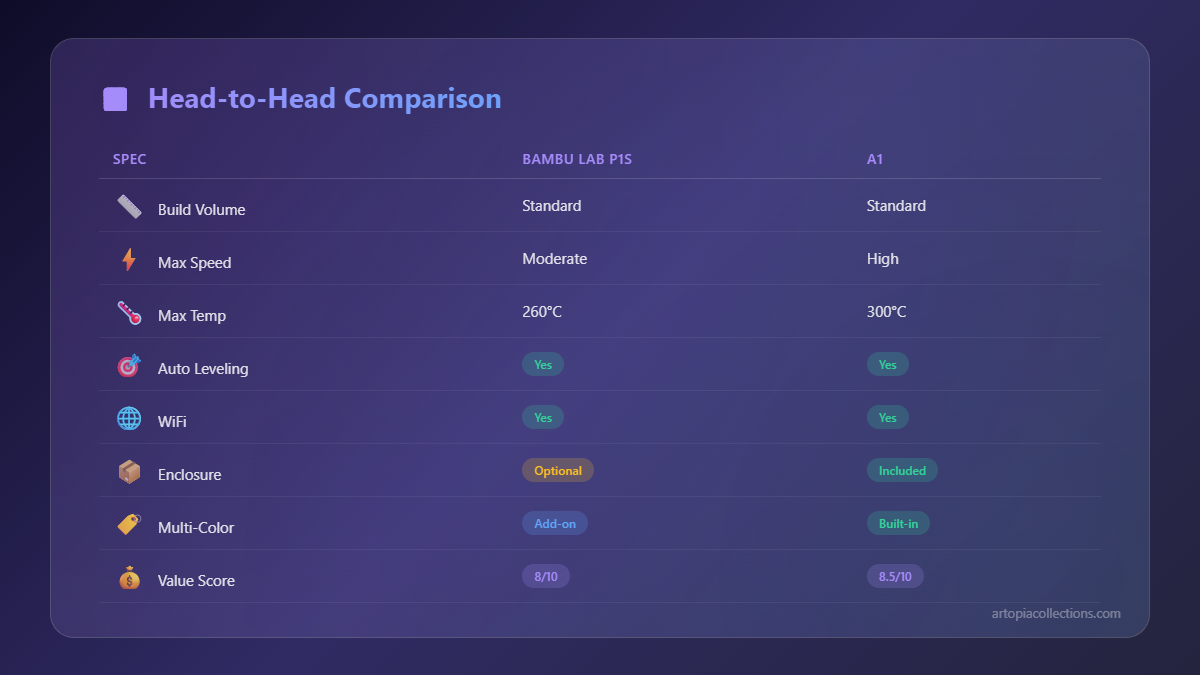
P1S vs A1: The Head-to-Head Showdown
So, we've looked at them individually, but let's put them side by side on the crucial points:
1. Kinematics & Enclosure
- P1S: CoreXY, Enclosed. Better for speed *and* sensitive materials.
- A1: Bed Slinger, Open Frame. Great speed for a bed slinger, but limited to less warp-prone materials.
2. Multi-Material System
- P1S: Uses the original AMS. Robust, expandable.
- A1: Uses AMS Lite. Simpler, easier to use, excellent for common filaments.
3. Price Point
- P1S Combo: Roughly ₹95,000 - ₹1,05,000.
- A1 Combo: Roughly ₹65,000 - ₹75,000.
4. Maintenance & User Experience
- P1S: Very user-friendly, but hotend swaps are a few screws.
- A1: Incredibly easy hotend swaps, active flow calibration makes it super simple for beginners.
5. Target User
- P1S: Small businesses, professionals, advanced hobbyists, users needing engineering filaments.
- A1: Hobbyists, beginners, educators, anyone prioritising ease of use and value for money for standard materials.
My Take From ArtoPia Collections
For my business, ArtoPia Collections, the choice is clear, at least for the bulk of my production. I run P1S machines. The reason is simple: reliability, speed under continuous load, and the versatility to print virtually any filament my client might request. Sometimes I need sturdy ASA parts for outdoor installations, or even some PC for functional prototypes, and the P1S handles those without breaking a sweat. The enclosure is a lifesaver. Plus, when you're running a business, having a machine that just consistently churns out perfect prints, day in and day out, is worth every extra rupee. Time is money, you know?
That said, if I were expanding and wanted a dedicated machine for just PLA or PETG prints – perhaps a farm of printers for colourful decorative items or quick prototypes – I would absolutely consider adding a few A1s to the mix. The hotend swap alone is incredibly appealing for reducing downtime, and the price point means I could get more machines for the same budget. Imagine having a specific A1 dedicated to glow-in-the-dark PLA, another for shiny silks, and another for durable PETG, each with its dedicated hotend. That’s efficiency right there! So, I guess what I'm saying is, there's a place for both, depending on your specific needs and what you're trying to achieve.
And speaking of filaments, don't forget to stock up on good quality stuff, no matter which printer you pick! You can find a huge variety online, like eSUN PLA or even other local brands on Amazon.in. Quality filament makes all the difference, trust me.
Which One Should YOU Get?
It really boils down to your priorities, my friend.
Choose the Bambu Lab P1S if:
- You need an enclosed printer for printing engineering filaments (ABS, ASA, Nylon, PC).
- You prioritize absolute maximum speed and consistency for continuous, high-volume production.
- You want the most robust and professional experience Bambu Lab offers in this mid-range segment.
- Your budget allows for an investment of around ₹90,000-₹1,00,000+ for the combo.
Choose the Bambu Lab A1 if:
- You primarily print with PLA, PETG, TPU, or other non-temperature-sensitive materials.
- You want the best value for money for multi-colour printing.
- Ease of maintenance, especially hotend swaps, is a major factor for you.
- You are a hobbyist, a beginner, or someone with a tighter budget (around ₹60,000-₹75,000 for the combo).
- You prefer an open-frame printer for easier access and a more "hands-on" feel.
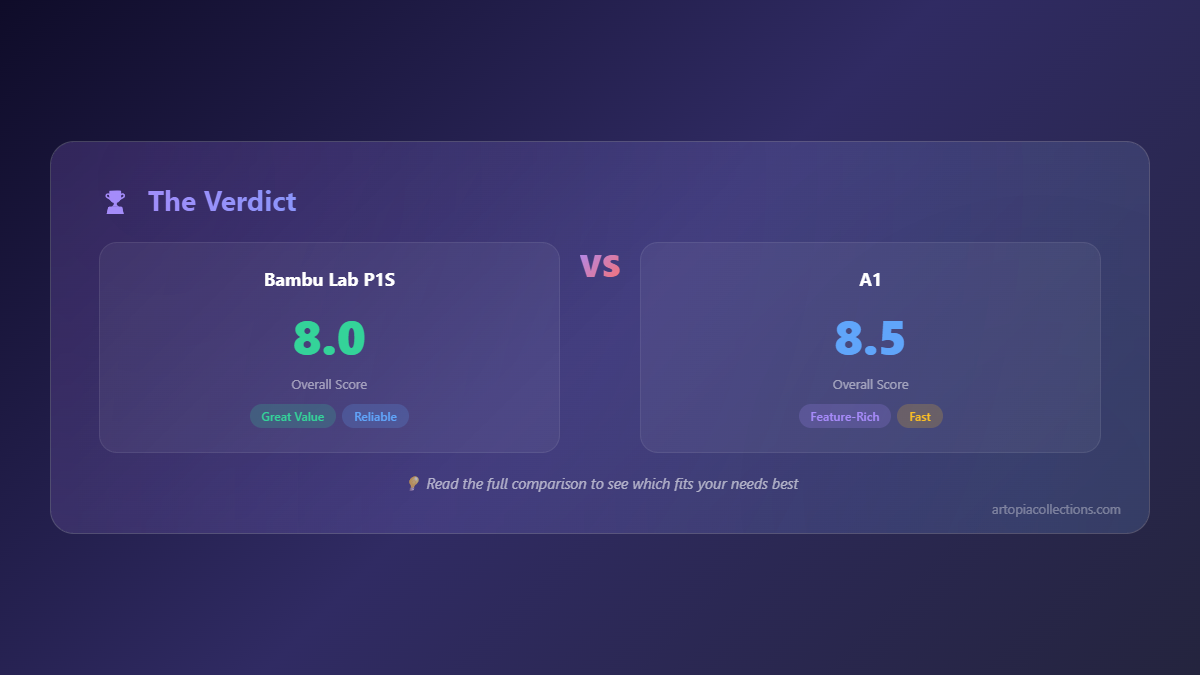
Honestly, you can't go wrong with either. Both are fantastic machines that push the boundaries of what we expect from a 3D printer. Bambu Lab has truly democratized high-speed, high-quality printing. Just figure out what your main goals are, what materials you plan to use most often, and what your budget looks like. Once you have those answers, your choice will become much clearer.
Happy printing, everyone! And don’t forget to share your thoughts in the comments – which one are you leaning towards? Or do you already own one and have some wisdom to impart?


